New design, My tickets and contracts per project
Spedy looks calmer: a new dashboard, a new ticket view, My tickets and profile pictures. Plus capacity contracts with points per project.

Spedy has a new look: calmer, with less colour and a clearer order. The dashboard, the ticket view, the board and the phone layout are rebuilt, and My tickets is a new page for everything that is yours. On top of that: your own profile pictures, a tidier account area, more options for customers, and capacity contracts with points per project.
The screenshots show the German interface; the English one looks the same.
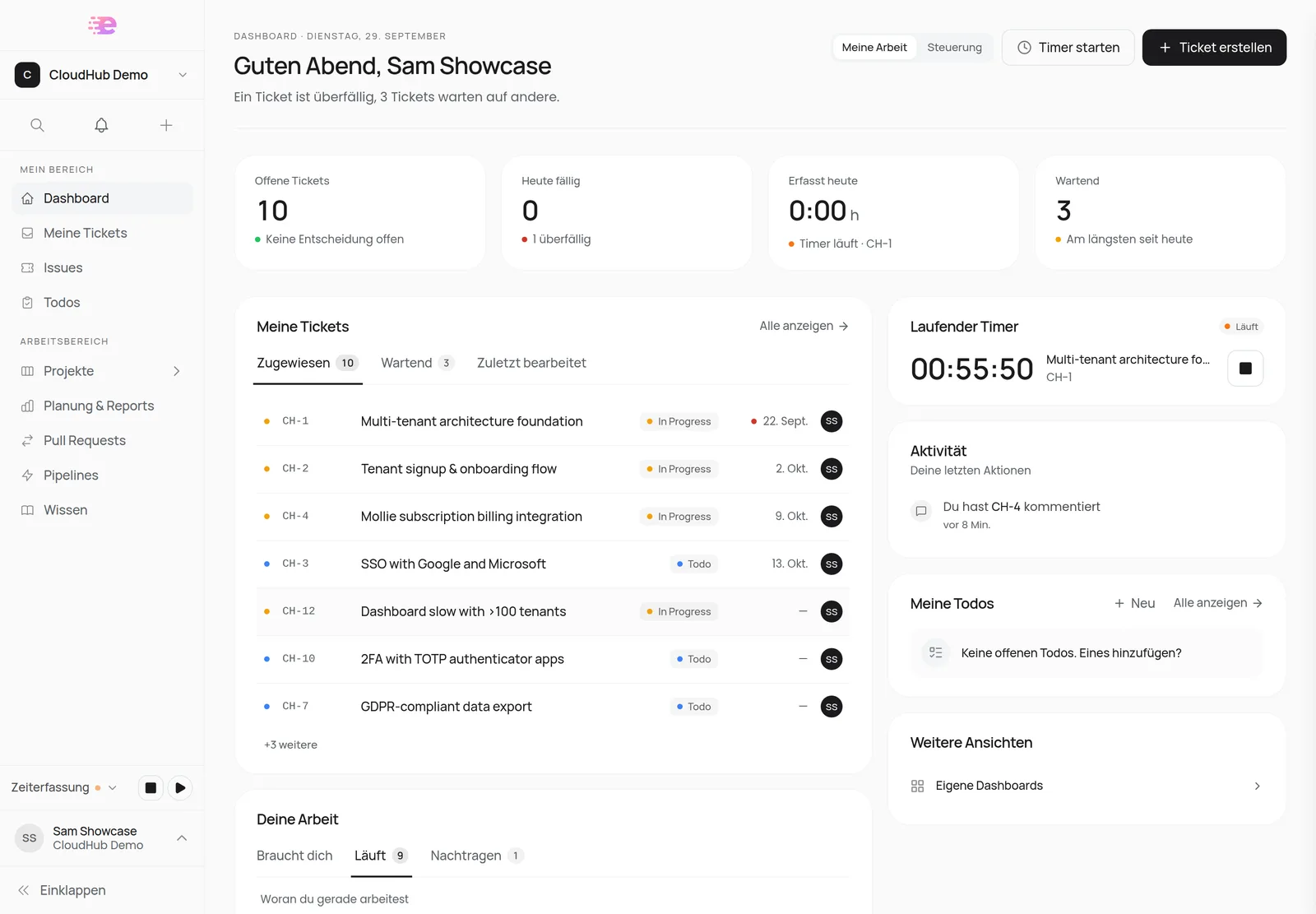
Dashboard, ticket and board in the new design
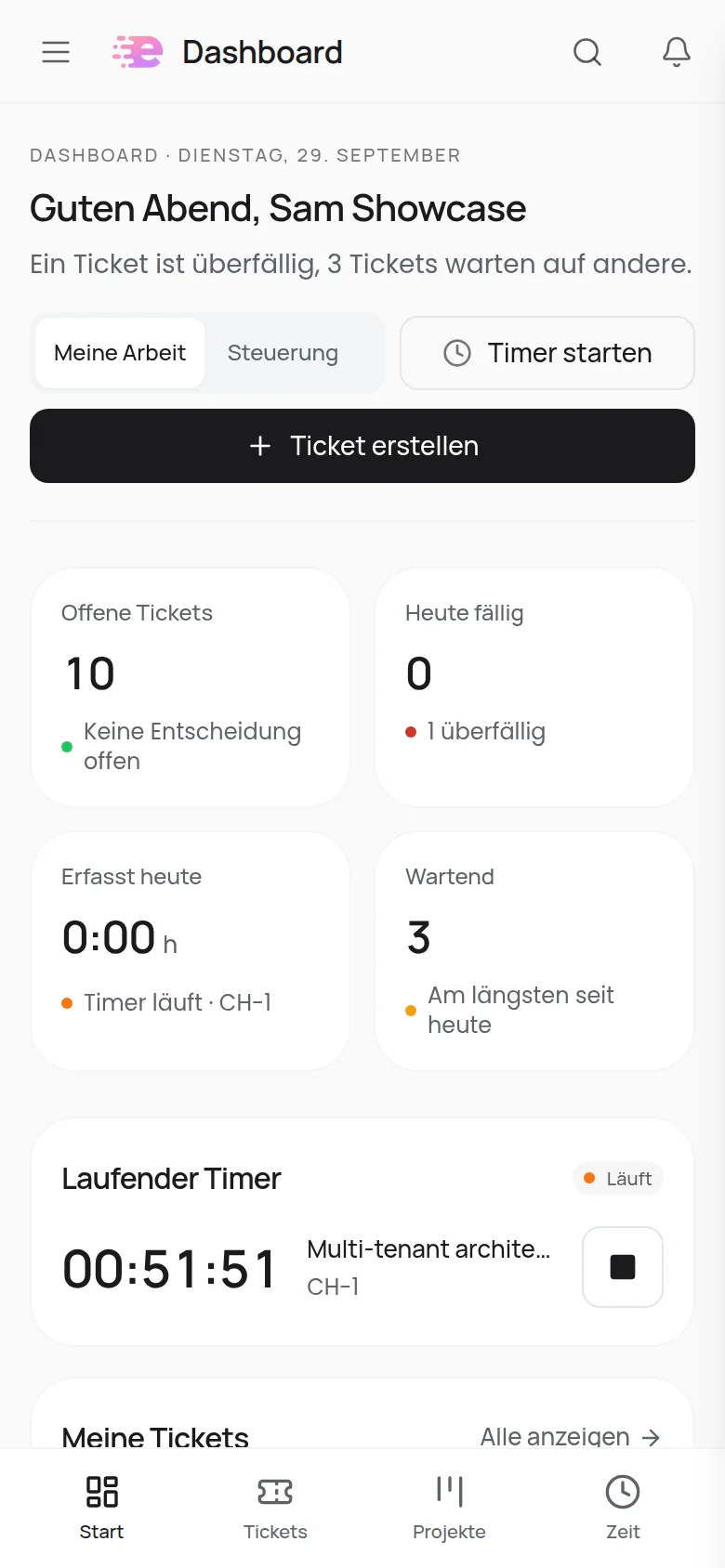
The dashboard opens with one sentence about your day, for example "One ticket is overdue, 3 tickets are waiting on others." Below it are key figures such as open tickets, due today and time tracked today. The rest is sorted into cards:
- My tickets with the tabs Assigned, Waiting and Recently edited.
- Your work with Needs you, In flight and To record. These are the buckets you already know, now as tabs.
- On the right: Running timer, your Activity, todos, news and More views with links to custom dashboards and snoozed tickets.
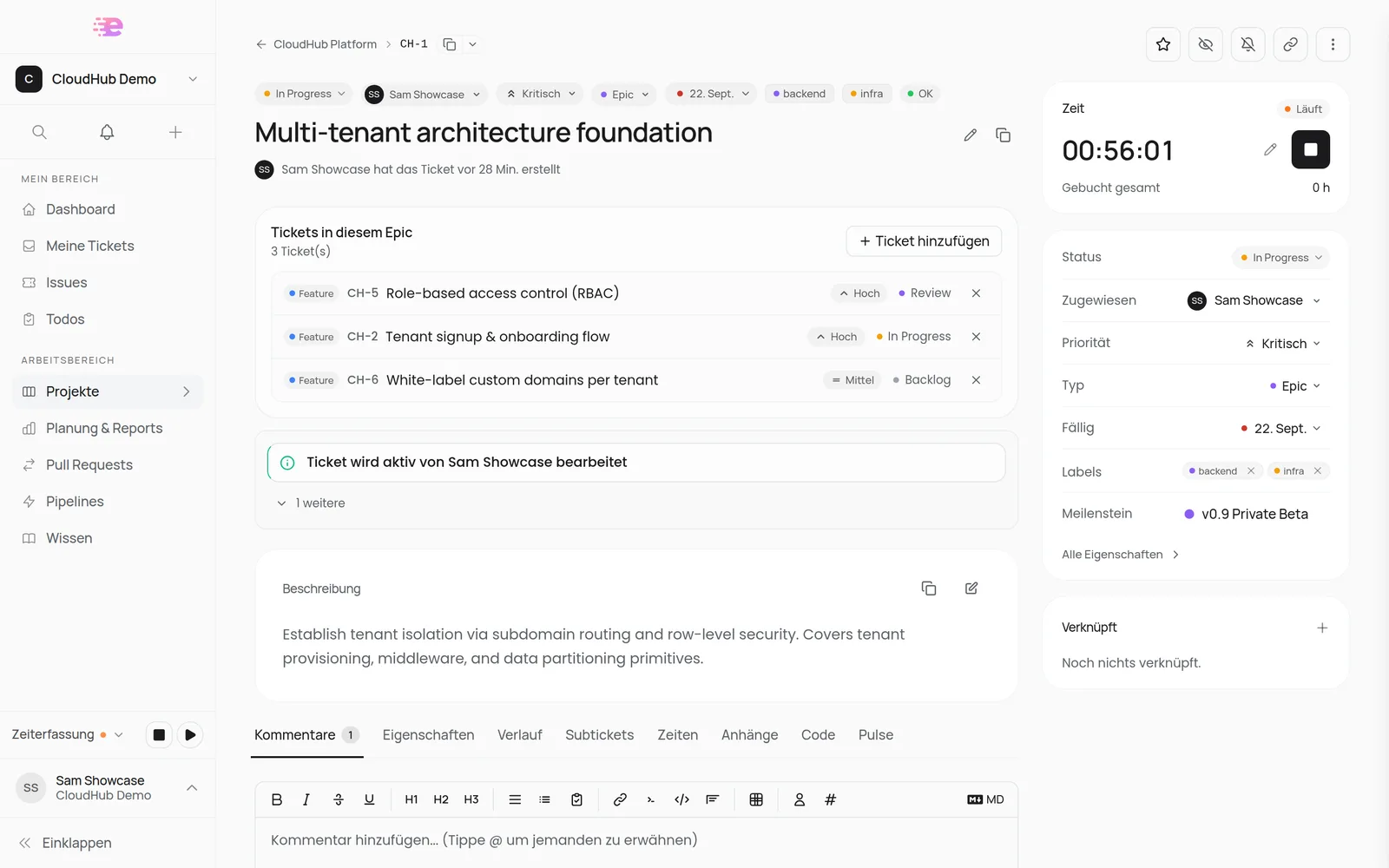
The ticket view has a badge row above the title. You change status, assignee, priority, type and due date right there with one click. The description has its own card, and the Time card with the timer and booked time sits on the right. The tabs now start with Comments and Properties, and subtickets look like linked tickets.
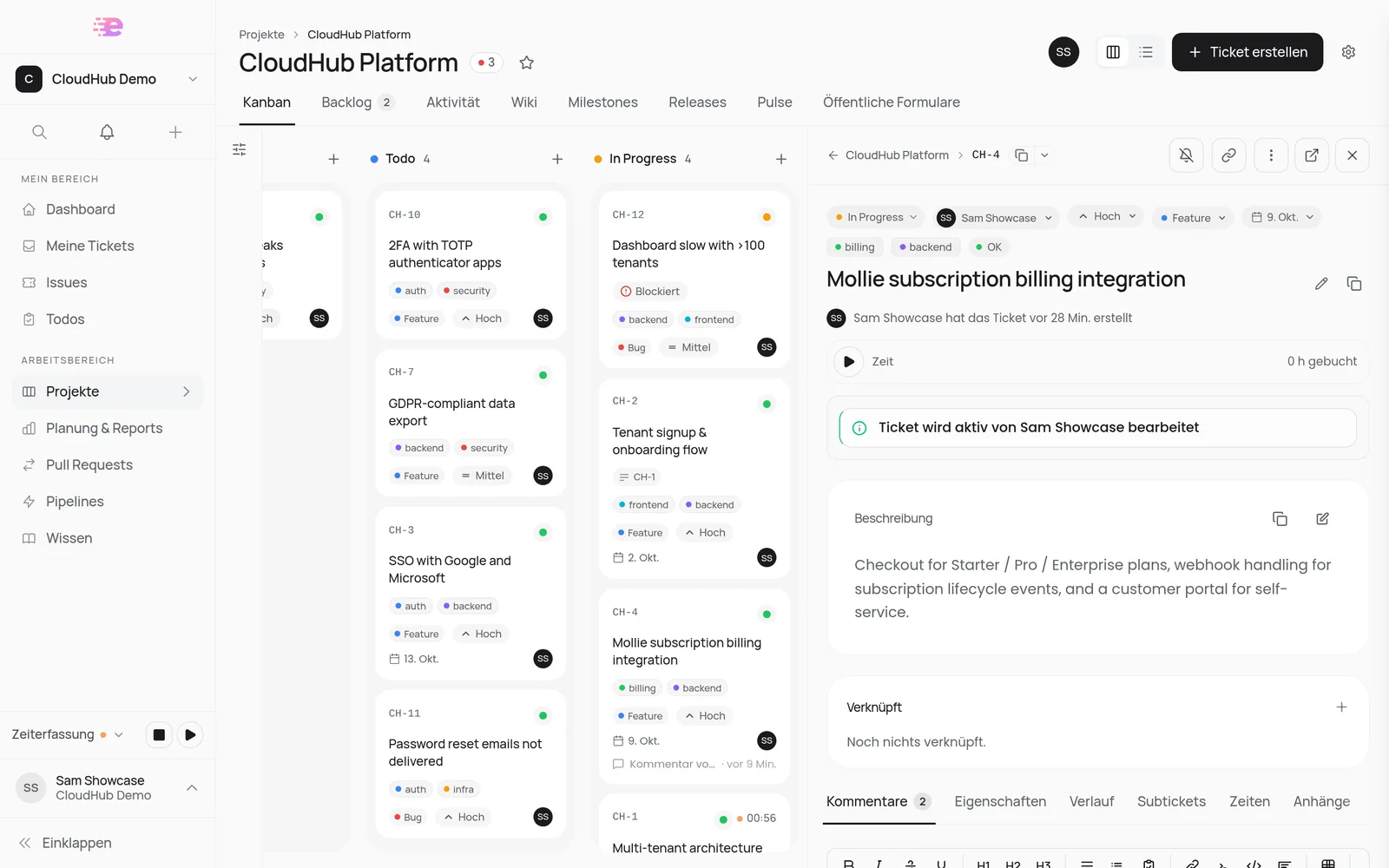
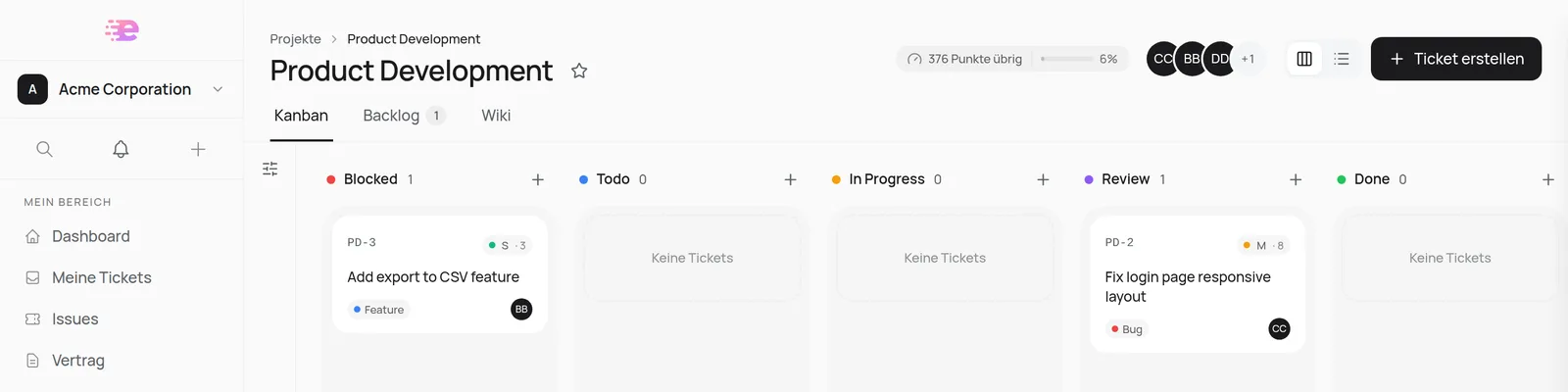
On the board, all columns are equally wide. Every column has a + to create a ticket in that status, running timers show up as a chip on the card, and the filter rail works like the one in the Issues Hub. Clicking a card opens the quick view with the same chips, and the columns keep their width.
My tickets and Spedy on your phone
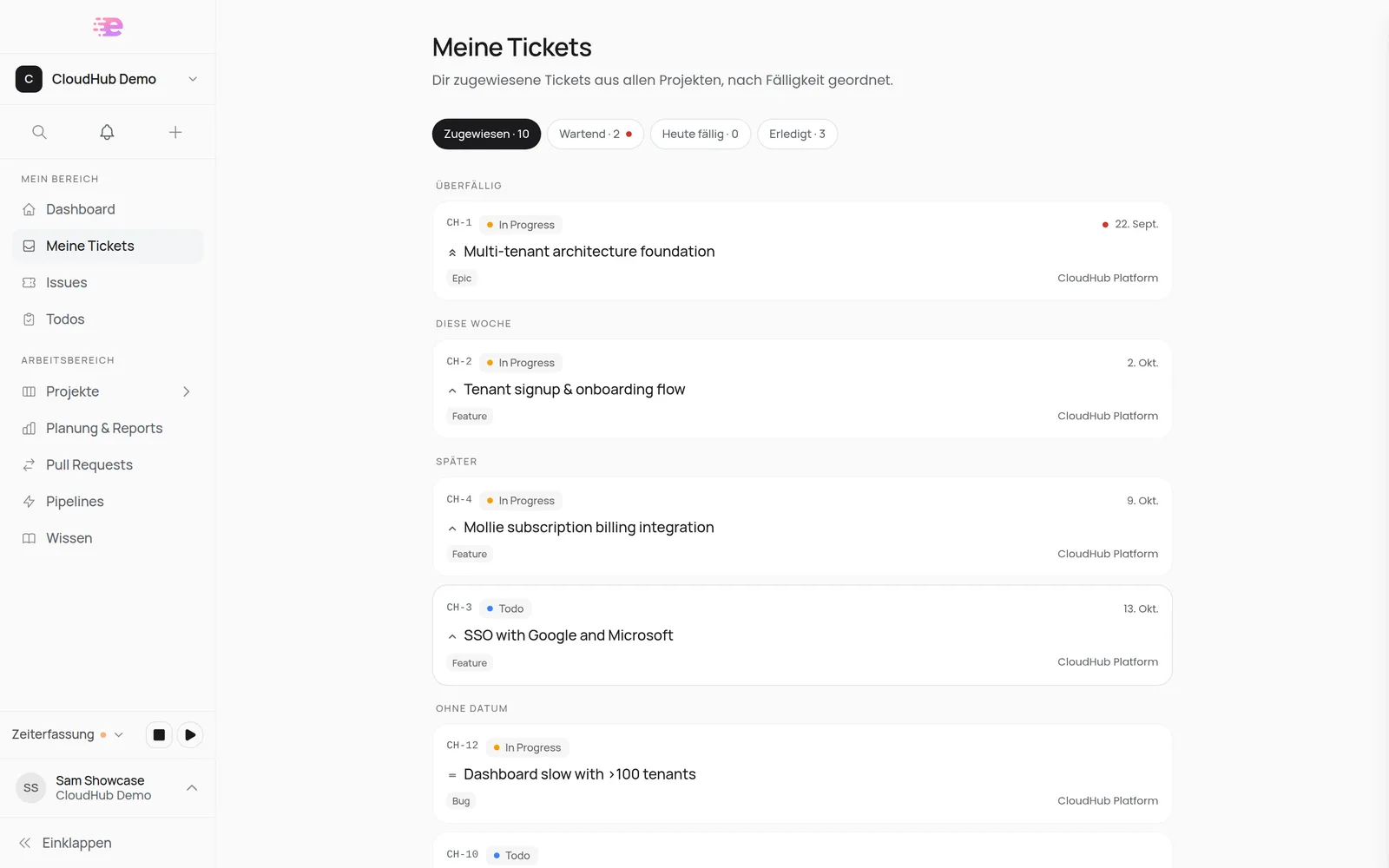
The new My tickets page collects every ticket assigned to you across all projects. Filter chips with counts (Assigned, Waiting, Due today, Done) and groups by date (Overdue, Today, This week, Later, No due date) show you what's next. Customers see the tickets they created here.
On your phone there is a tab bar at the bottom with Home, Tickets, Projects and Time. Search and notifications sit at the top, and you open the Support chat from the menu.
Smaller changes you'll notice
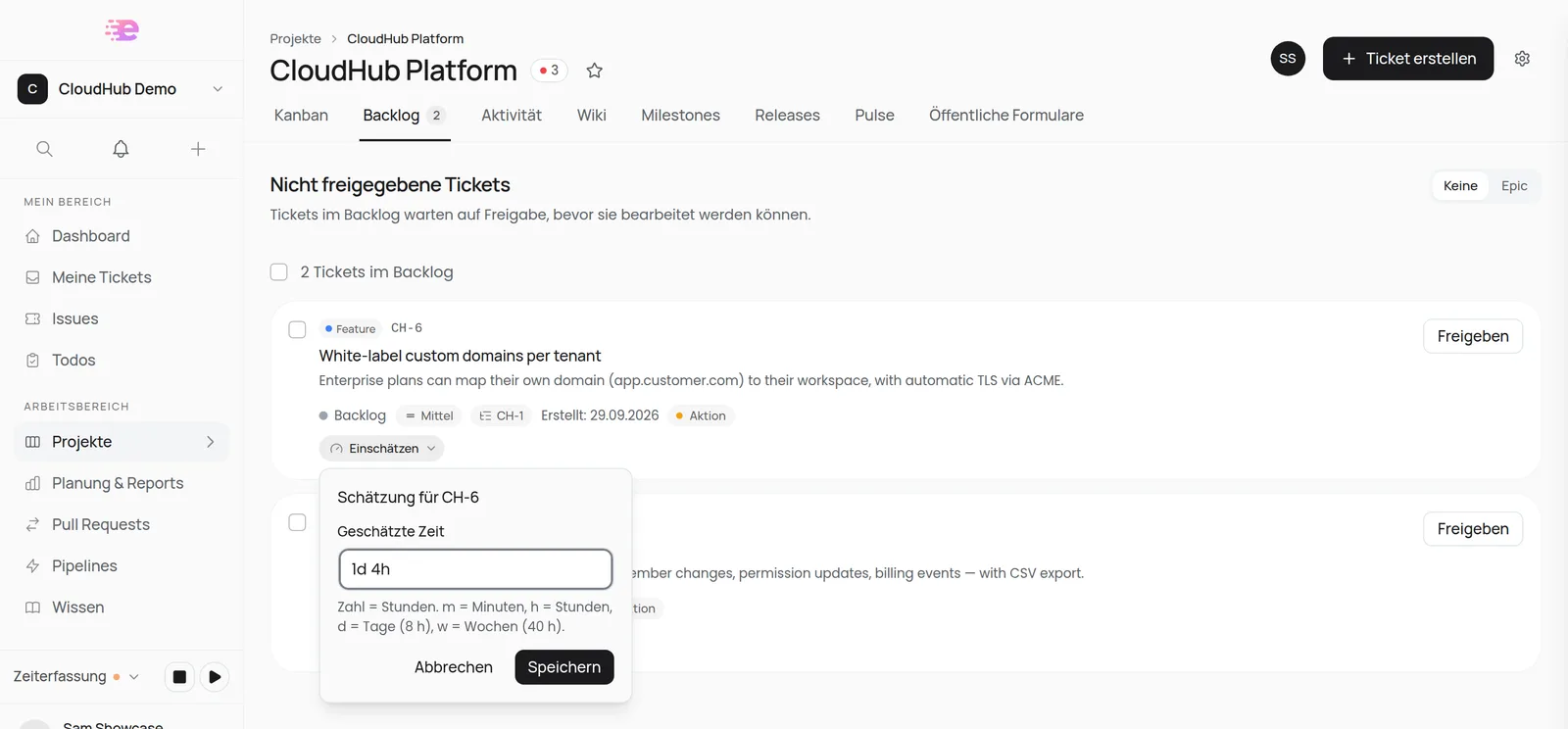
- Estimate in the backlog: every row has an estimate under the title. Click Estimate and enter
4,2hor1d 4h. On contract projects you pick a size class right there. - SVG and EPS attachments: on tickets, comments, wiki pages and public forms. SVG gets a preview, EPS is offered as a download.
- Pasting several images: paste several images at once and all of them land in the text, in the order you copied them.
- "Claimable only" filter removed: agents still ask for claimable tickets via MCP.
- Only what you can use: menus and buttons now only appear when your role may actually use them. Billing in the settings, for example, is visible to admins only.
Account: profile picture, new navigation, security
Your own profile picture. Under Account → Profile you upload a PNG, JPEG or WebP up to 5 MB. Spedy crops it to a square and removes metadata such as the location it was taken. Your picture shows in every organization you belong to. Without one you see your initials; Spedy no longer uses Gravatar.
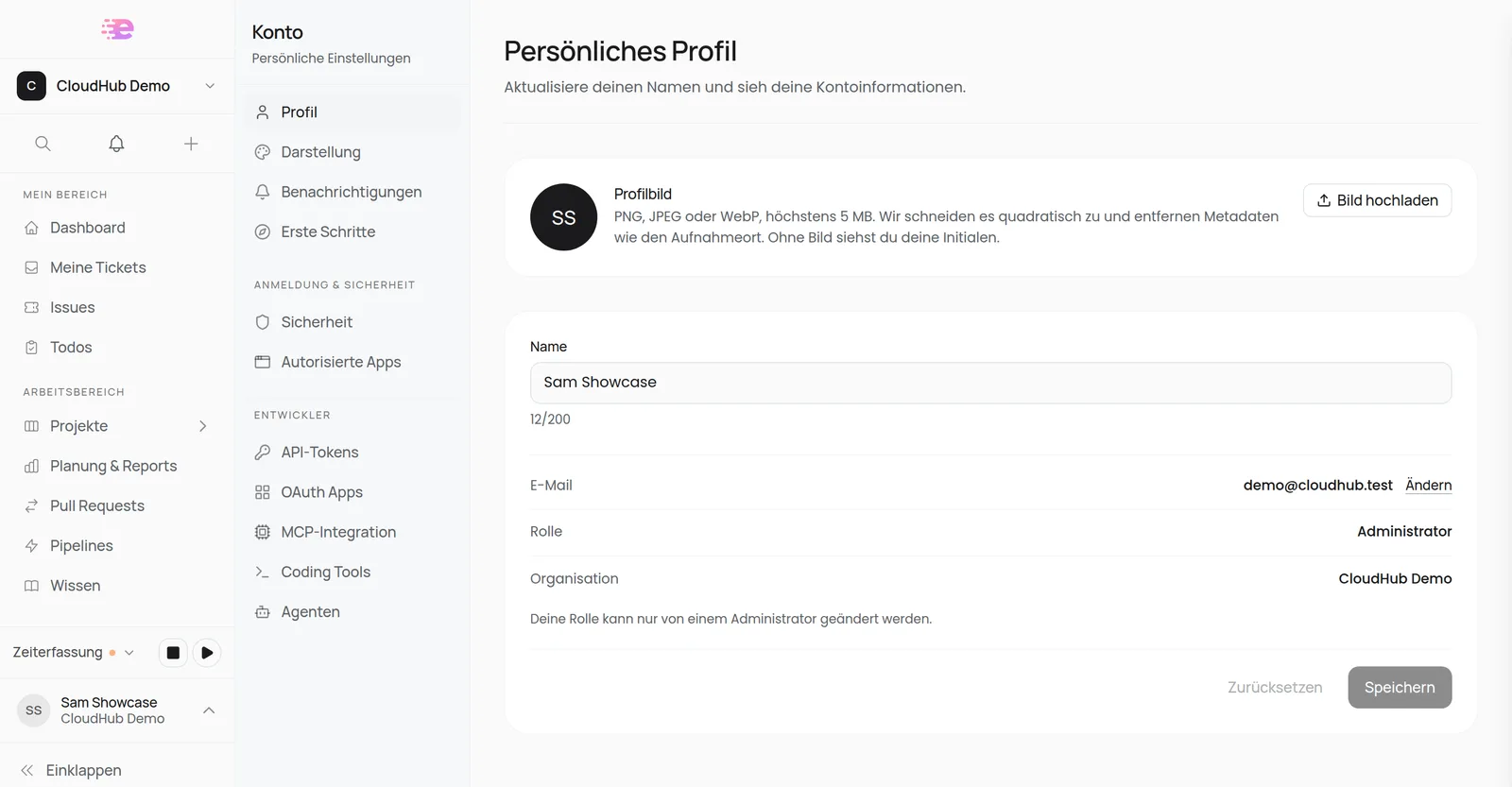
New account navigation. Pages are now grouped into Personal, Sign-in & security and Developer. Password and email live together under Security, the language under Appearance. OAuth Apps is reachable on every plan; creating and editing apps stays tied to your plan.
Language. Signed-in pages open in your saved language instead of the browser's. Without a saved choice Spedy starts in German.
Tokens after a password change. When you change your password or email address, or reset your password, Spedy disconnects all API tokens (including your agents') and connected apps such as MCP clients. Reconnect them afterwards. After you confirm a new email address, you are signed out everywhere.
Deactivating members. When you deactivate a member, Spedy signs them out everywhere right away and revokes all their API tokens, including those of their agents.
For customers: type, size and editable badges
- Customers now see the ticket type on board cards. On contract projects the size class sits at the top right of the card instead of the hour estimate.
- The ticket's badge row is editable for customers too, depending on permissions: status with
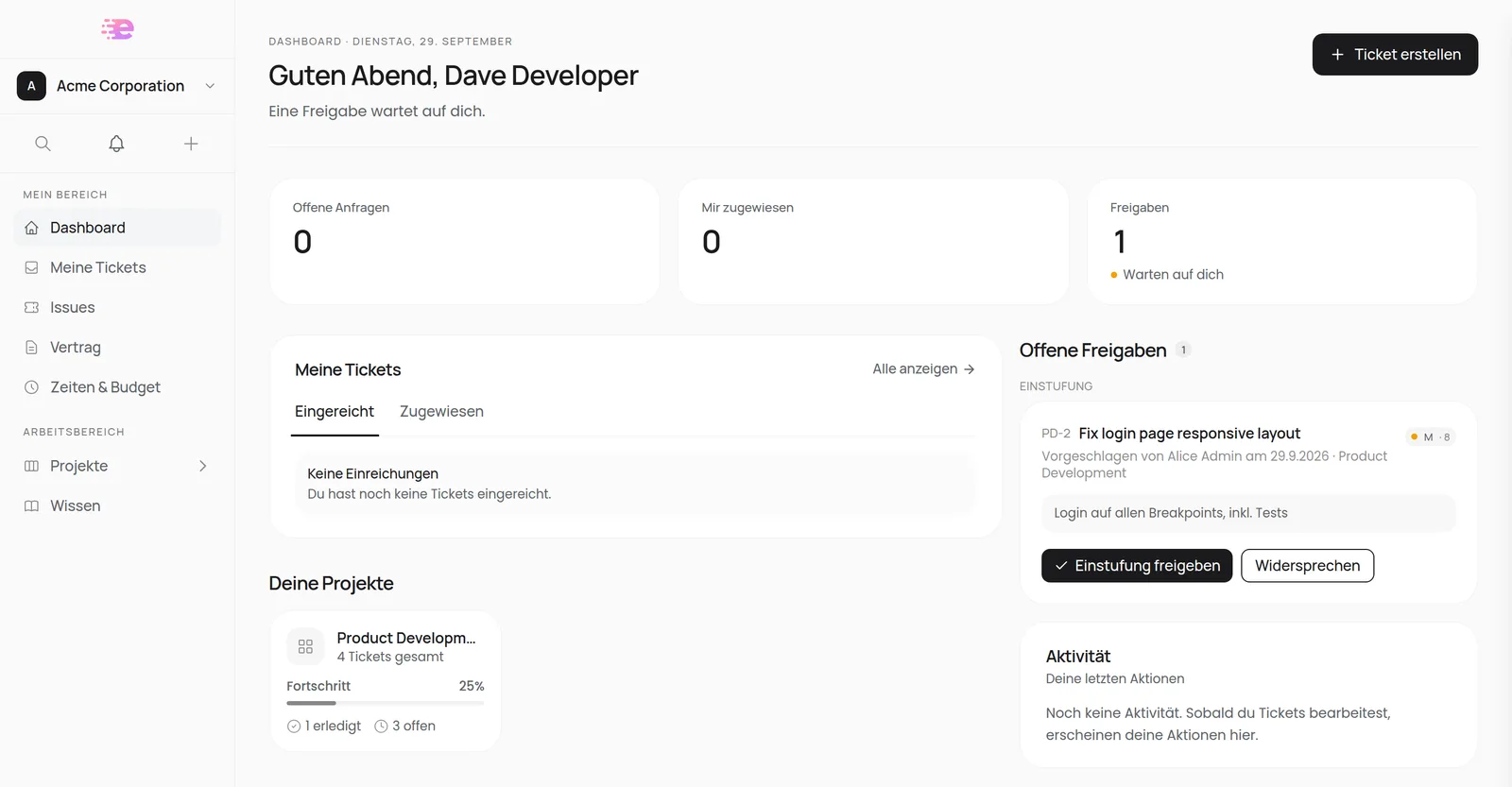
tickets:change-status, assignee withtickets:assign, priority, type and due date withtickets:edit. - On the customer dashboard, Pending approvals collects budget approvals and size classes waiting for them. They can agree or object right there.
Capacity contracts: points per project and a later start
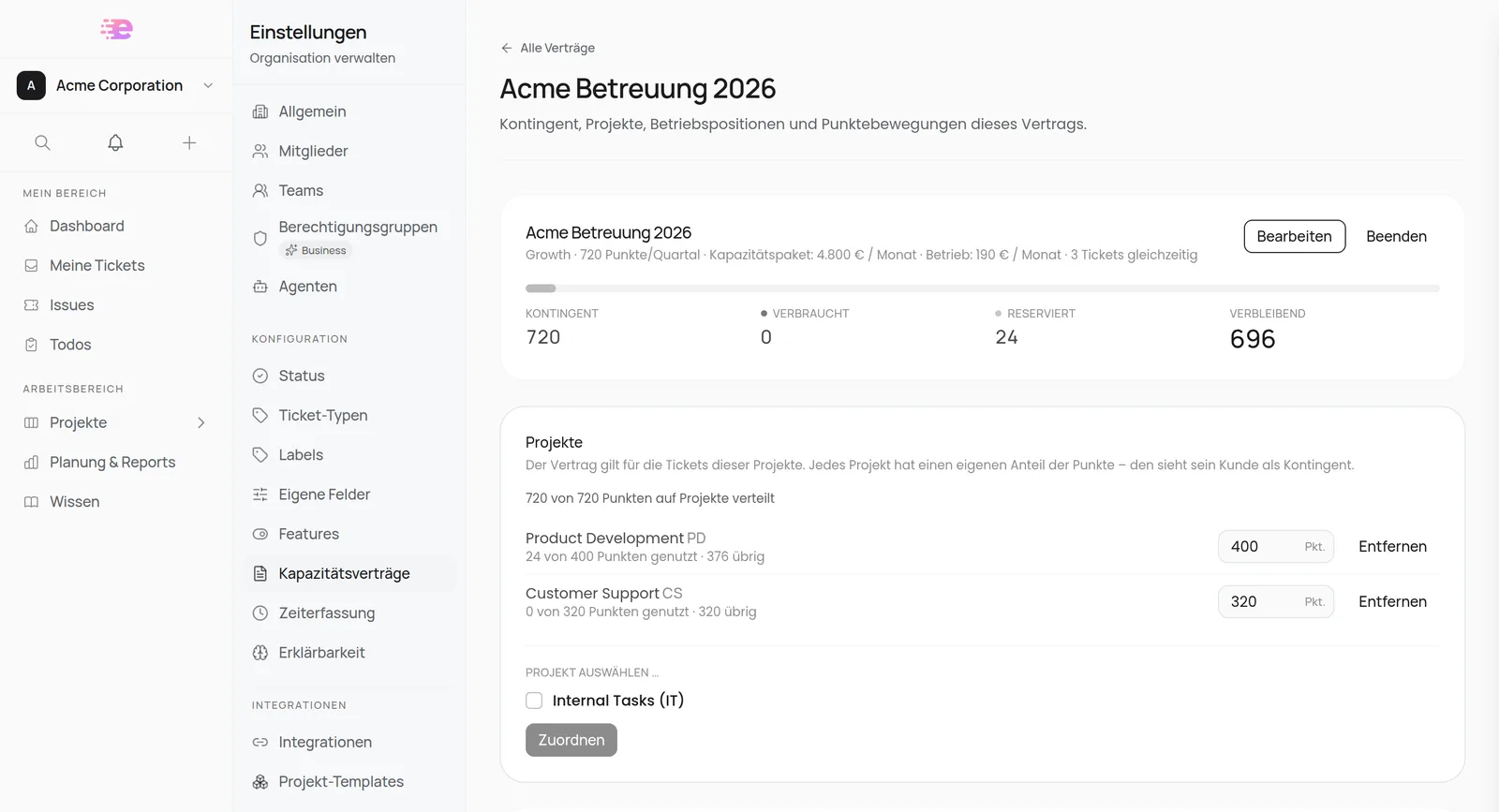
One contract, several projects. With Split points by project, every project gets a fixed share, for example 400 points for product development and 320 for support. You enter the shares right on the contract page and see the usage per project.
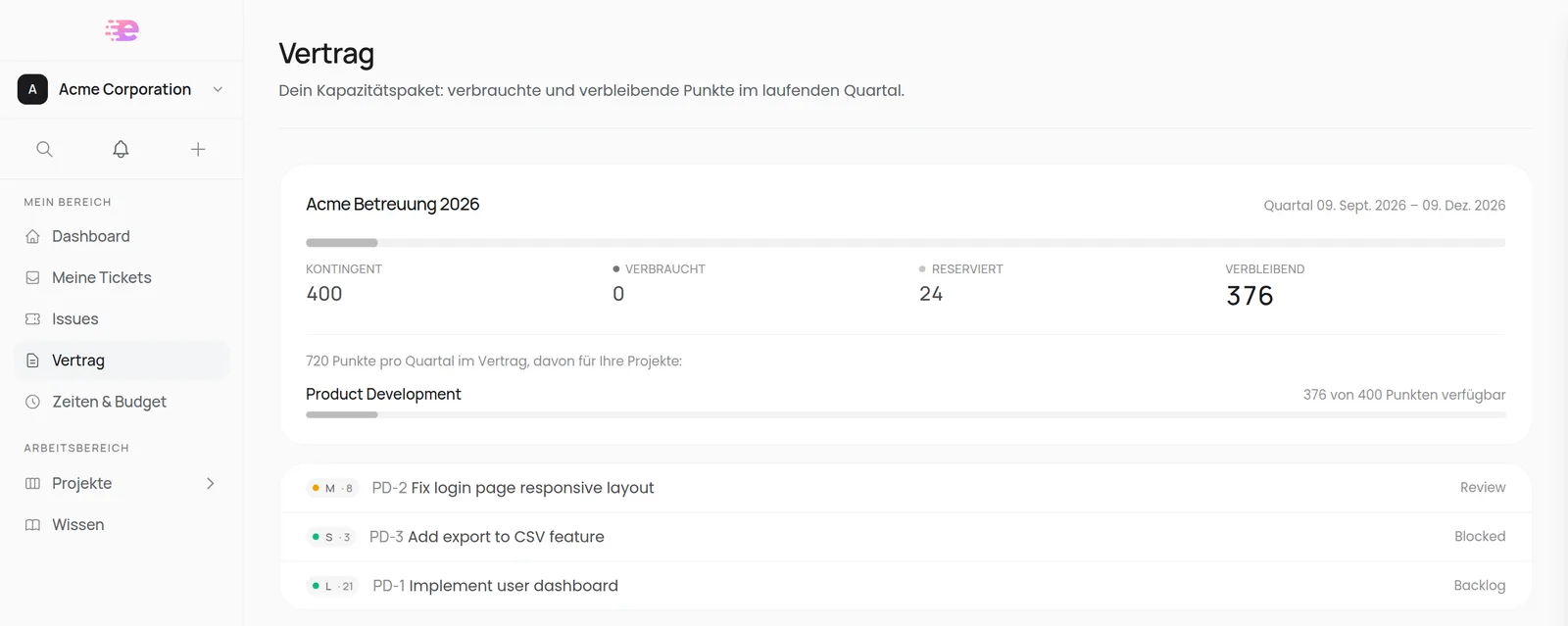
Customers see the contract total and only the share of their own projects:
A contract that starts later. You can activate a contract that begins in a few weeks. Until then Spedy shows Starts on …, the projects keep running on hours, and size classes the customer already agrees to count towards the first quarter.
Also new:
- Size class instead of hours: on projects under a started contract, board cards, the backlog and the estimate column in the Issues Hub show the size class. On the ticket, Hours & budget is folded away.
- Classes as pills: you pick the class with one click, nothing is pre-selected.
- Euro amounts such as single prices and package prices are only shown to team members allowed to view or manage contracts.
New organizations only with a personal link
New teams now start Spedy with a demo call. After that they get a personal sign-up link that works once, and only for the invited email address. That's why the organization switcher no longer has a Create organization entry. The website no longer lists public prices; the new homepage explains how getting started works instead.
Organizations that start this way are on an individual contract: Settings → Billing then shows no checkout and no plan comparison, but a Book a call button. Nothing changes for existing organizations with a subscription.
Read more
- Dashboard: layout, My tickets and the phone view
- Tickets: ticket view, badges, quick view and attachments
- Backlog: estimating right in the backlog
- Profile: profile picture, account navigation and what happens on a password change
- Capacity contracts: points per project and contracts that start later
- Create your account: signing up with a personal link
Frequently asked questions
Quick answers to the most common questions about this topic.
Where do I find the new My tickets page?
Why do I have to reconnect my MCP client after changing my password?
Can one capacity contract cover several projects separately?
Can I still create a new organization myself?
Why is the app in German when my browser is set to English?
Keep reading
Capacity contracts: clients buy points, not hours
Clients buy a quarterly point allowance, and every request gets a size class before work starts. The price is fixed before anyone picks up the ticket.
A dashboard sorted by decisions, delivery metrics, and better bulk actions
Four buckets instead of fourteen sections on the dashboard, a new delivery-metrics overview, budget and fixed price per ticket – and more bulk actions.

Time & Budget for customers, all GitLab pipelines, and duplicating permission groups
Customers get a transparent Time & Budget overview with one-click approvals. Plus: every GitLab pipeline instead of only merge-request ones, duplicable permission groups, and status text on linked tickets.